AI vintage portrait maker · film grain · 70s · 90s · sepia

Vintage Family Photo Generator

Transform your family photos into authentic retro portraits with AI. Upload a group photo or separate family member portraits, choose a vintage era, and generate a nostalgic keepsake that looks genuinely old.

Perfect for printing, gifting, home gallery walls, holiday cards, and social sharing.

Vintage family portrait tool

Create Your Vintage Family Portrait

Upload one group photo or separate portraits of each family member. Select a retro era, add a short prompt to guide the mood, and generate a vintage family portrait in minutes.

70s Warm Glow 90s Film Grain Classic Sepia

Result Preview

Preview Your Family Photo

Golden warm tones and soft focus.. Upload photos, then generate one cohesive family photo.

Sources0
Frame3:4
Example family photo generated by Kinpict
Example ResultUpload your photos on the left to create a portrait

Choose Your Vintage Family Portrait Style

Vintage Family Photo Styles

Our AI family photo generator supports multiple classic aesthetics. Choose from 70s warm glow, 90s film grain, classic sepia, or analog film to fit your home decoration style or printing needs.

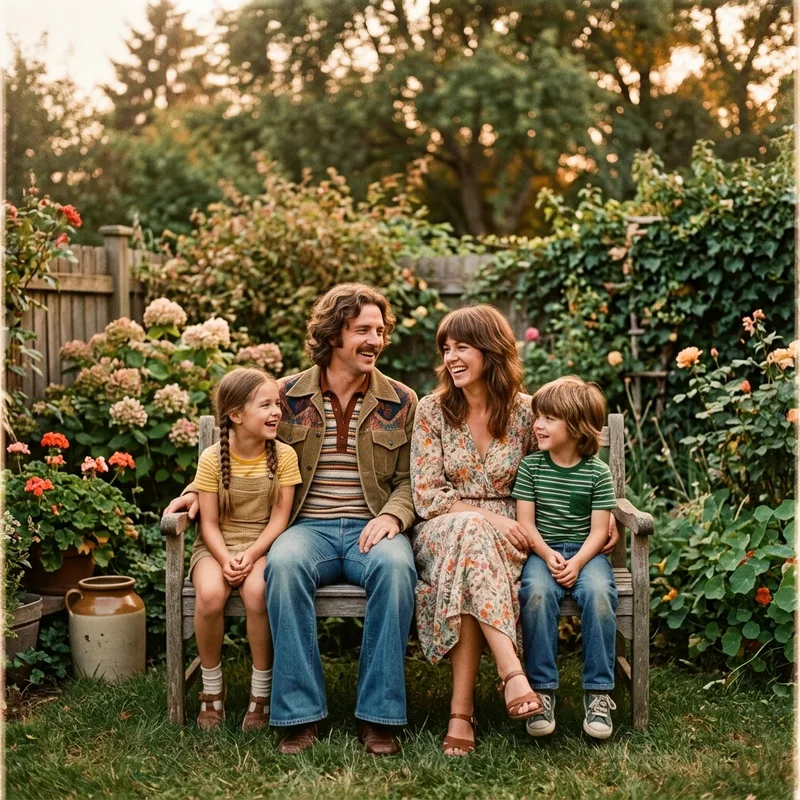
Warm 70s glow family portrait generator example

01 / 70s Warm Glow

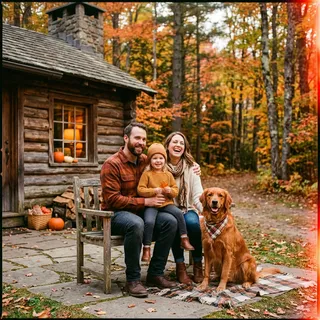
Turn family photos into a warm 70s summer portrait

The 1970s family portrait look is defined by golden light, slightly faded color, and a candid warmth that no modern camera fully replicates. Our AI applies soft amber tones, gentle vignette edges, and natural skin warmth to make your family feel transported to a sunlit afternoon from fifty years ago.

Create 70s Vintage Portrait
90s film grain family photo generator example

02 / 90s Film Grain

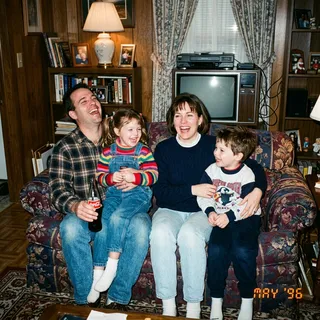
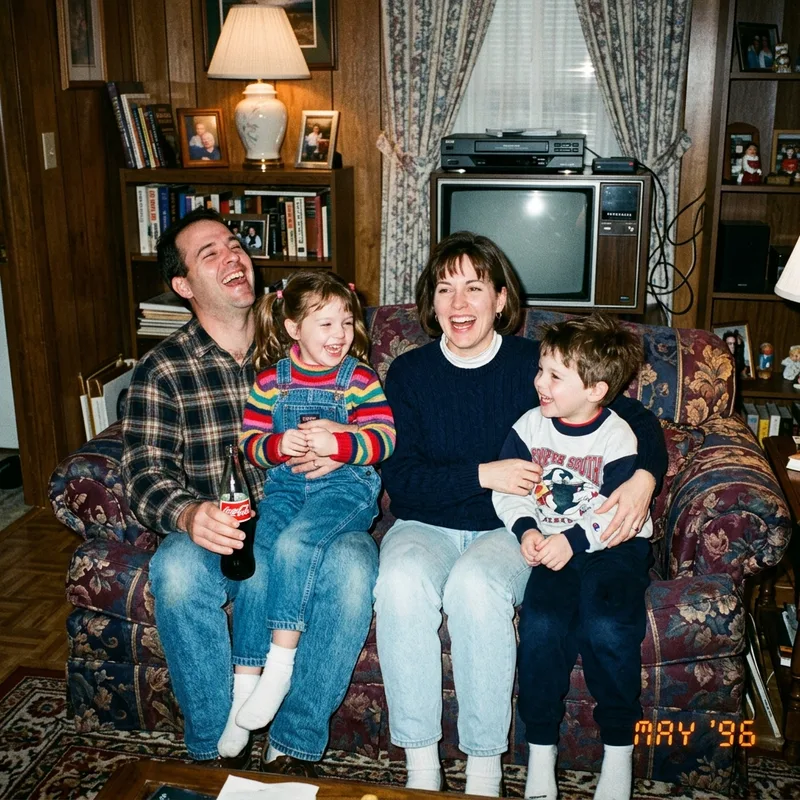
Make family photo look vintage with 90s film grain

The 90s point-and-shoot era gave us portraits full of character — slightly grainy, muted color, often overexposed, and always candid. Apply that same imperfect, lived-in quality to your modern family portrait for a look that feels immediately nostalgic and personal.

Apply 90s Film Effect
Classic sepia vintage family photo maker example

03 / Classic Sepia

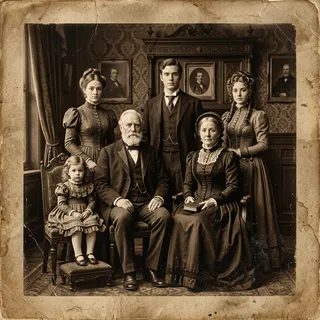
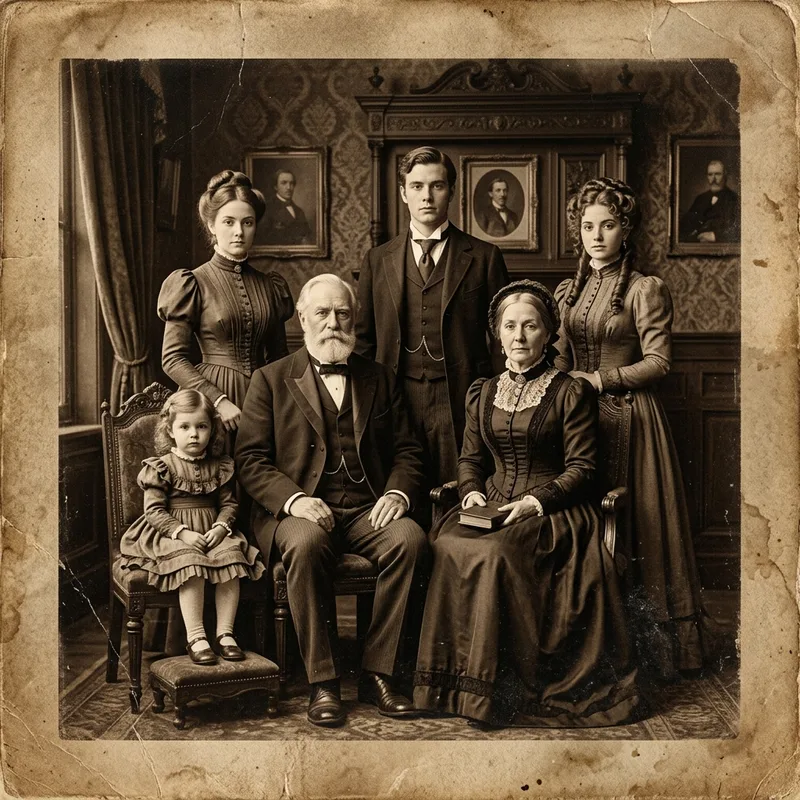
Vintage family portrait in timeless sepia tone

Sepia is the universal language of heritage. A sepia-toned family portrait transcends any single decade — it carries the warmth of old photograph albums, framed prints above fireplaces, and family stories passed down through generations. Our AI preserves facial detail while wrapping the entire image in rich brown warmth.

Generate Sepia Family Portrait
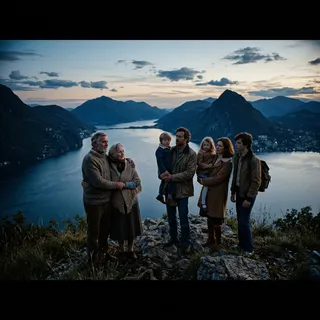
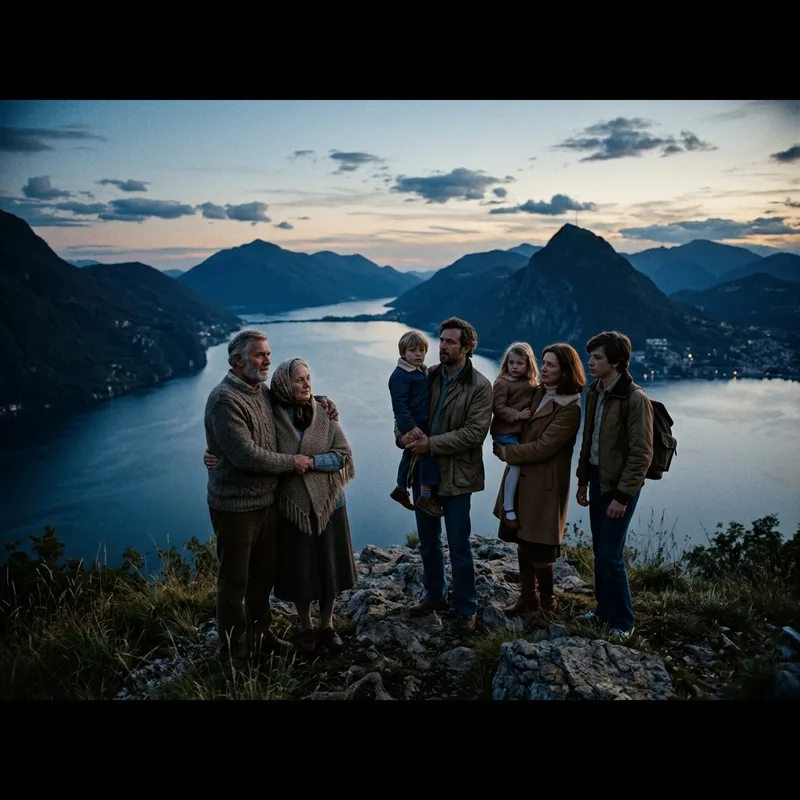
Cinematic vintage family photo generator example

04 / Cinematic Vintage

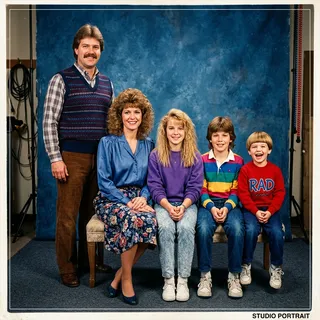
AI vintage portrait maker for cinematic retro family look

Inspired by classic American cinema and fine art photography of the 70s and 80s. This style uses muted cool shadows, natural wide framing, and deliberate grain to make your family portrait feel like a still from a film that never existed — and never needed to.

Create Cinematic Portrait

Vintage Family Portraits That Still Look Like Your Family

Our vintage generator focuses on keeping key identity cues so you can immediately recognize family members.

Real faces, retro era

The AI models color-grade, adjust lighting, and apply vintage grain textures without wiping out the distinct features, expressions, and relationships of the people in the picture.

Separate photos, one vintage group scene

When merging separate member photos, the generator aligns proportions, lighting angles, and grain structure so the entire composition feels like it was shot on the same camera in a single studio session.

Why Families Use a Vintage Family Photo Generator

A vintage family photo maker online is most useful when you want to convert modern family photos into high-end heritage keepsakes.

Turn modern photos into vintage family portraits

Upload any clear family photo — group shot or separate portraits — and apply a retro era style that makes the result feel genuinely old.

Retro family portrait generator supports separate photos

Our AI combines multiple individual family portraits into one unified vintage group composition, even when members were photographed separately.

Film grain, sepia, and analog styles all in one tool

Choose from six distinct retro aesthetics ranging from warm 70s amber to 90s grainy film look, without needing any photo editing skill.

Keepsake-quality output for printing and framing

Every vintage family portrait is generated at high resolution, ready to print as a canvas, frame as wall art, or include in a family album.

Best Uses for a Vintage Family Portrait

Retro-styled family photos provide a warm, artistic atmosphere that makes them perfect for physical gifts and interior decor.

Printed wall art and framed gallery displays

A vintage-styled family portrait printed on canvas or fine art paper becomes a centerpiece that looks like it has always been part of your home.

Holiday cards with a nostalgic twist

Send a family holiday card that stands out — the retro family portrait look creates immediate warmth and emotion that modern filters simply cannot match.

Then-and-now family memory projects

Pair a vintage AI portrait alongside a recent family photo for a visual storytelling project that shows how your family has grown over the decades.

Gifts that feel genuinely personal

A sepia or film-grain family portrait printed and framed makes a meaningful birthday, anniversary, or grandparent gift that feels irreplaceable.

How to Generate a Vintage Family Portrait Online

Get a professional vintage family portrait in just three steps without needing complex photoshop skills.

1

Upload your family photos

Start with one clear group photo or multiple separate portraits. Good lighting and visible faces help the AI apply the vintage style more accurately.

2

Choose your retro era style

Select from 70s warm glow, 80s vivid pop, 90s film grain, classic sepia, analog film, or cinematic vintage, then add a short prompt to fine-tune the mood.

3

Generate and download the portrait

The AI applies your chosen vintage look across the full composition. Download the high-resolution result ready for printing, sharing, or gifting.

Tips for the Best Vintage Family Portrait Results

Follow these practical tips to ensure your generated vintage portraits look clear, authentic, and era-accurate.

Use well-lit source photos

Even when applying heavy vintage grain or sepia, starting with clear faces and good lighting helps the AI preserve identity and expression details.

Describe the era in your prompt

Short notes like '1970s warm outdoor afternoon' or '90s school portrait, indoor flash' help the AI align the grain, color, and lighting to the right decade.

Combine retro style with a setting

Adding location context to your prompt (e.g., '70s summer backyard barbecue' or '80s family living room') creates a more immersive vintage scene.

Try different eras for the same photo

Run the same family photo through two or three era styles before choosing the final result — the 70s warm glow and 90s film versions of the same portrait can feel completely different.

Vintage Family Photo Generator FAQ

Find answers to common questions about using our AI vintage portrait generator, file formatting, and privacy.

How do I make a vintage family photo using AI?

Upload your family photos to our Vintage Family Photo Generator, select a retro era style such as 70s warm glow or 90s film grain, optionally add a short prompt describing the mood, and generate your vintage portrait. The result is ready to download in minutes.

Can I use multiple separate photos to create one vintage family portrait?

Yes. You can upload separate photos of individual family members — even if they were taken at different times or places — and the AI will merge them into one cohesive vintage family portrait.

Will the family members still be recognizable after the vintage effect is applied?

Yes. Our AI preserves facial structure, expressions, and key identity features while applying the vintage aesthetic. Clear, front-facing source photos produce the most recognizable results.

What vintage styles are available?

You can choose from six retro era styles: 70s Warm Glow, 80s Vivid Pop, 90s Film Grain, Classic Sepia, Analog Film Look, and Cinematic Vintage. Each applies a different combination of color tone, grain, and lighting to match its era.

Is the vintage family photo generator free to use?

You can generate a free preview to test the result. Full-resolution downloads use credits. Check the pricing page for current credit costs.

Do I need to sign up or create an account?

You can try a free generation without signing in. An account is required to save results, access generation history, and use paid credits.

Will my family photos be stored or shared after I upload them?

No. Uploaded photos are processed securely and are not stored on our servers after your generation is complete. We do not use your photos for training or share them with third parties.

What resolution is the output file?

The generated vintage portrait is produced at high resolution, suitable for printing on canvas, fine art paper, or standard photo prints up to 8×10 inches or larger depending on the aspect ratio selected.

Can I include pets in the vintage family portrait?

Yes. Upload a clear photo of your pet alongside family member photos and the AI will naturally incorporate them into the vintage family composition.

How many photos can I upload?

You can upload multiple photos — there is no fixed limit per generation. The AI works best with clear, front-facing portraits of each family member.

What is the difference between this and a regular vintage photo filter app?

Standard filter apps apply a flat overlay to a single existing photo. Our AI generator understands the full scene — people, backgrounds, relationships — and creates a vintage portrait that looks authentically styled rather than filtered.

Can I generate a vintage portrait from a group photo instead of separate photos?

Yes. You can upload a single group photo and select a vintage era style to transform the whole composition. The multi-photo option is available for families who were photographed separately.

What makes a good source photo for the vintage generator?

Clear, well-lit, front-facing photos with visible facial features produce the best results. Poor lighting, motion blur, or faces partially covered by sunglasses significantly reduce quality.

Can I print the vintage family portrait?

Yes. The output is designed for printing. Many users frame their vintage portraits as wall art or gift them as printed canvas panels.

How long does it take to generate a vintage family portrait?

Most generations complete within 1 to 3 minutes depending on the number of photos uploaded and the server load at the time.

Can I use a vintage prompt to describe the specific decade I want?

Yes. After selecting a base style, you can add a short prompt such as '1970s summer afternoon, golden light, outdoor backyard' to give the AI additional guidance on the era, lighting, and setting.

Does it work for large families or multi-generational portraits?

Yes. You can upload portraits of as many family members as needed — including grandparents, parents, children, and extended relatives — and the AI will compose them into a single vintage group portrait.

Can I download the vintage portrait in different aspect ratios?

Yes. The tool supports multiple aspect ratios including square, portrait (3:4), and landscape (4:3 or 16:9), so you can choose the format that best fits your intended use.

Is this tool suitable for creating anniversary or birthday gifts?

Many users create vintage family portraits specifically as anniversary, birthday, or grandparent gifts. The retro aesthetic often adds emotional warmth that makes the result feel more meaningful than a standard printed photo.

What is a 'Then and Now' family photo project and can I use this tool for it?

A 'Then and Now' project pairs a vintage-style portrait alongside a recent family photo to show how the family has grown over decades. Our vintage generator is a popular tool for creating the 'Then' side of such projects.

Make your family portrait look vintage today

Upload your family photos, choose a retro era, and generate a keepsake-quality vintage portrait that looks like it was always part of your family album.

Create Vintage Family Portrait