Step 1
Step 1: Upload Your Individual Photos
Choose 2 to 6 separate individual photos of your family members from your device. You can use selfies, cropped images, or pictures taken at different locations.
Most popular family workflow
No group picture? No problem. Upload individual photos of your family members and combine them into a single, cohesive, and realistic family portrait in seconds.
Combine Your Photos NowFree preview • 100% private & secure • Print-ready quality
Separate Inputs
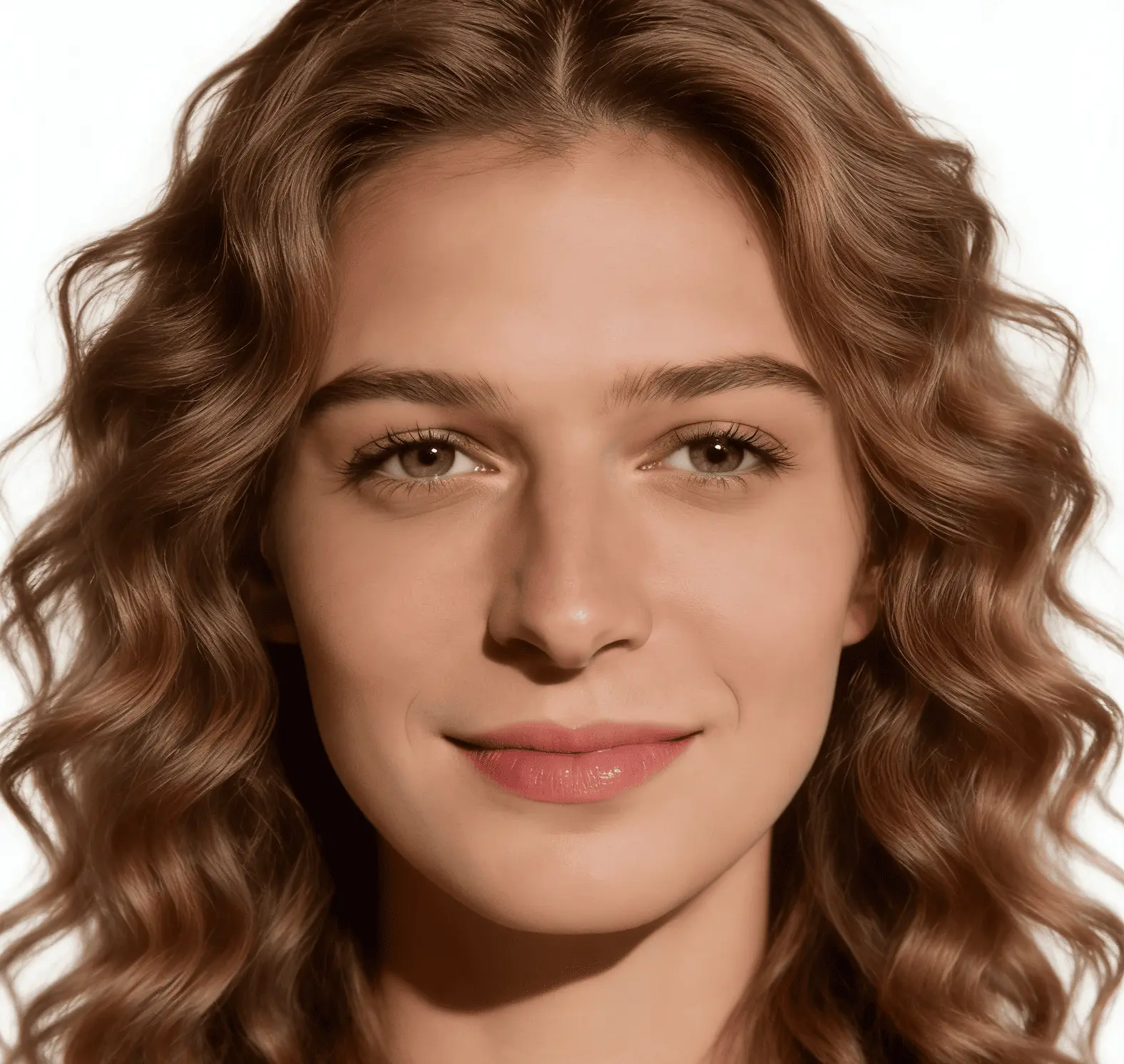

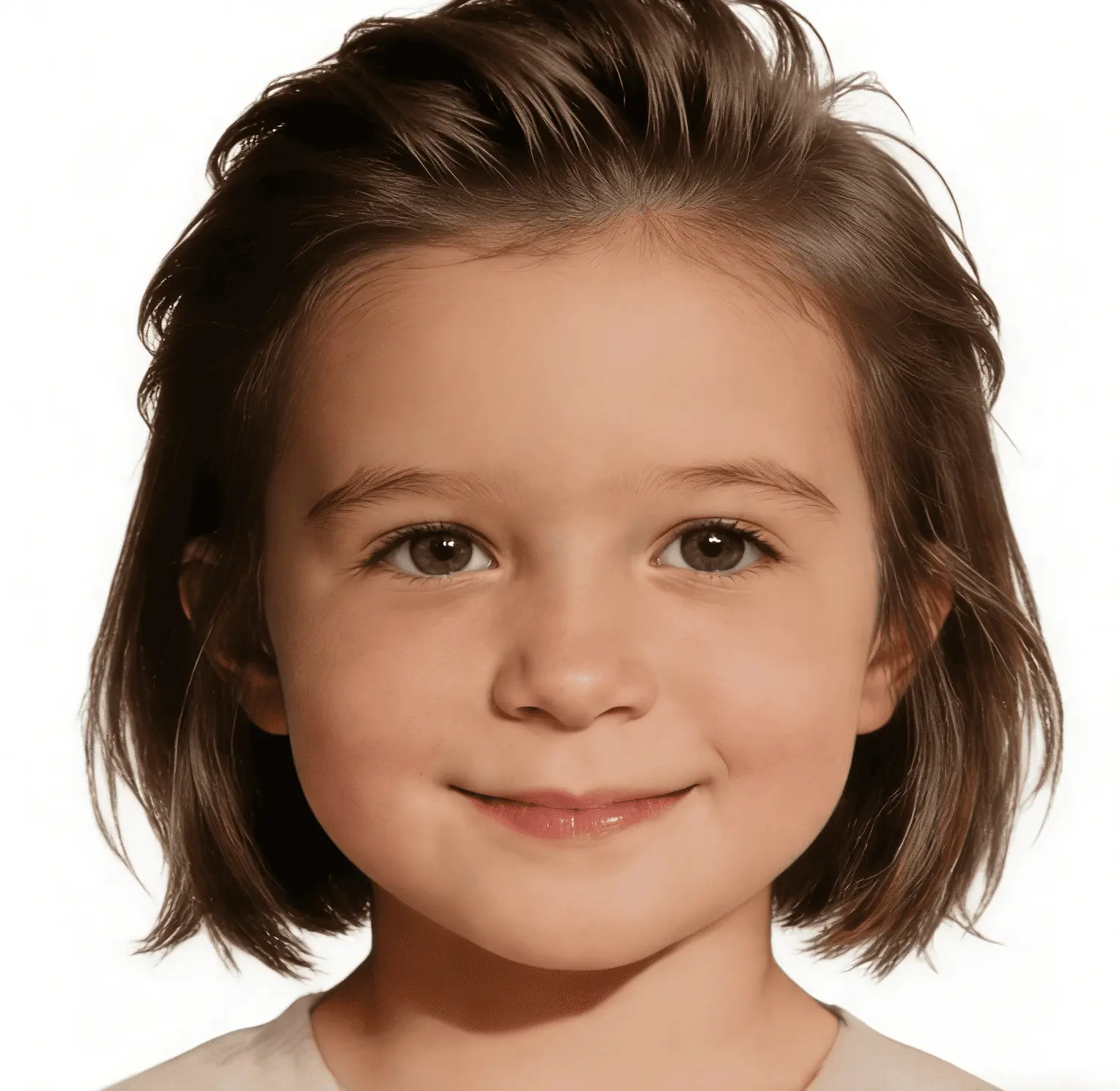
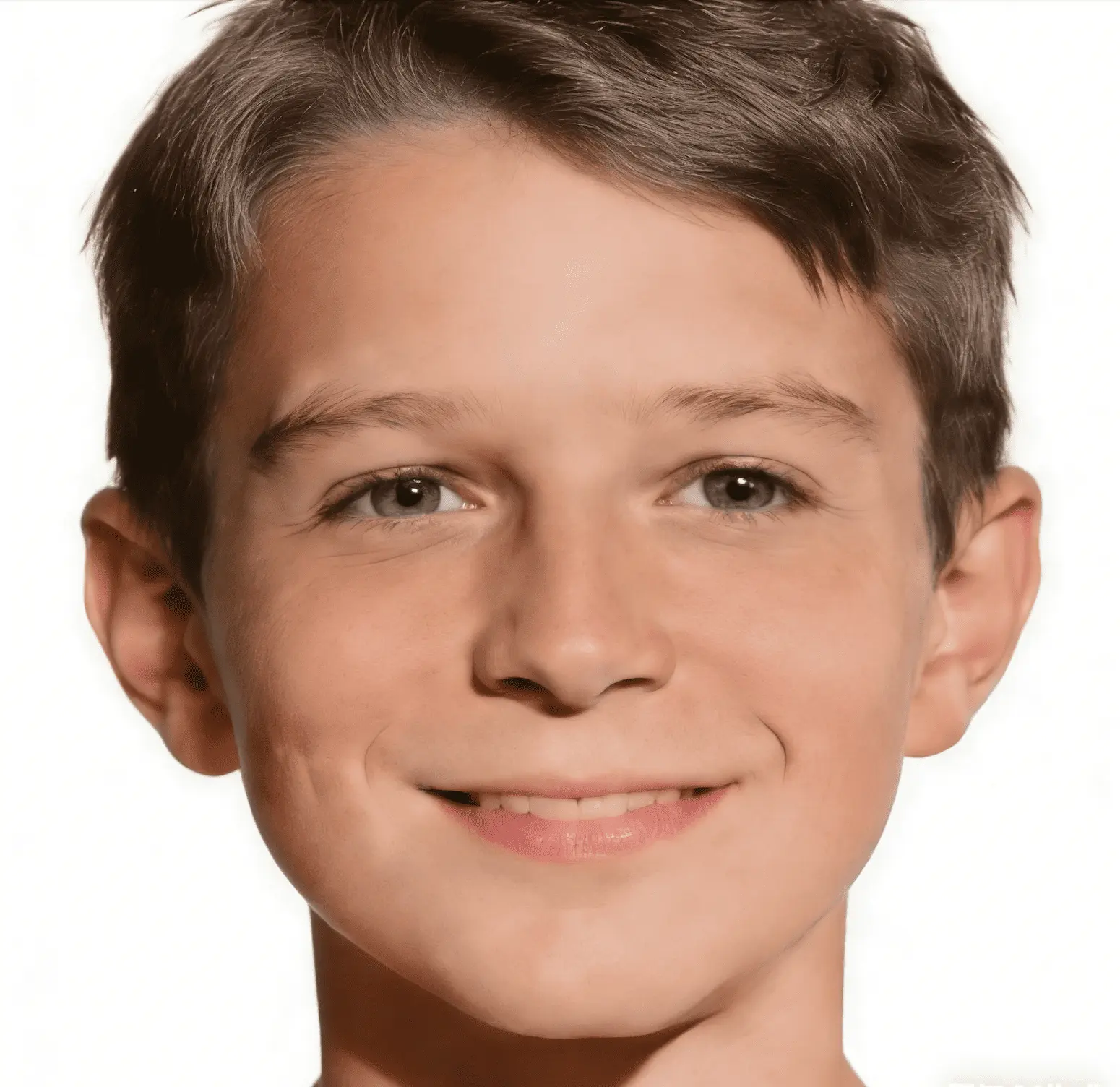
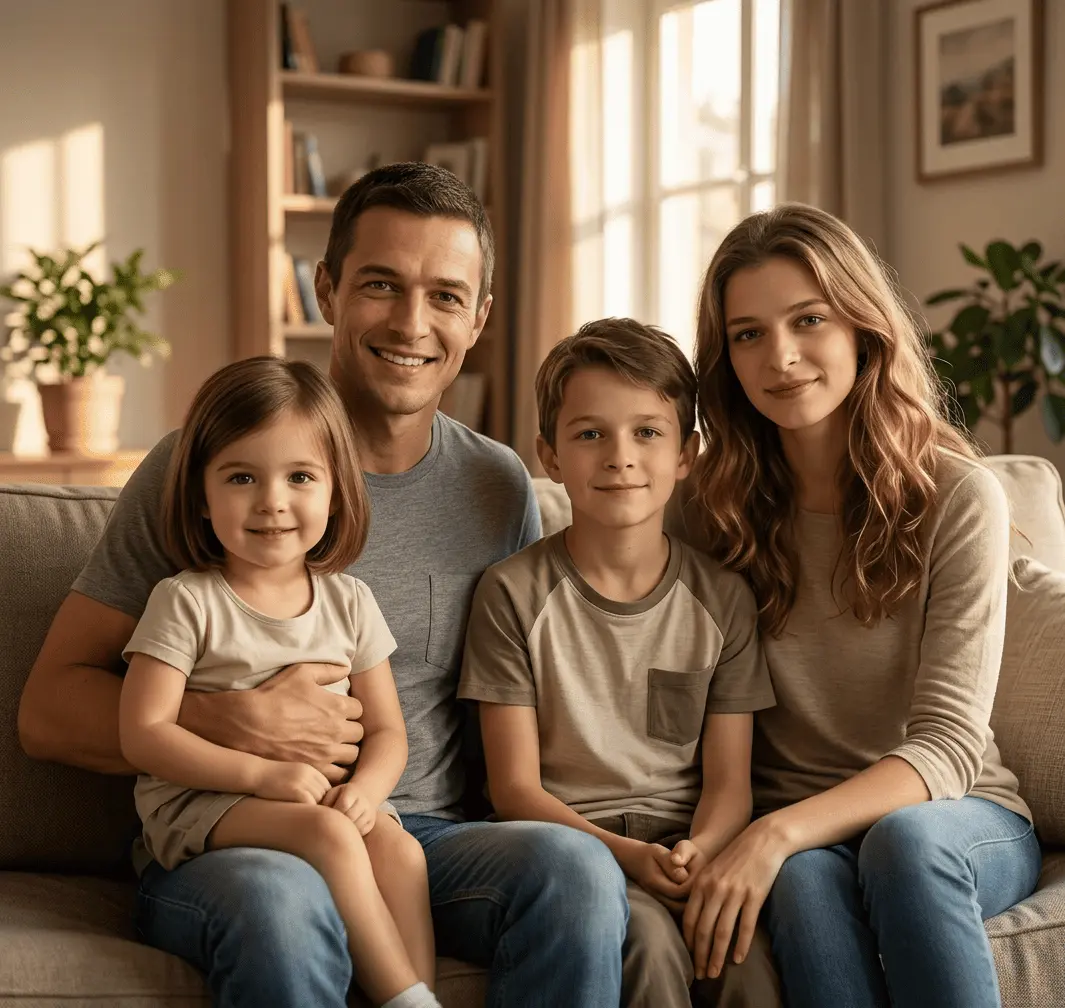
Result Preview
Natural family composition.. Upload photos, then generate one cohesive family photo.
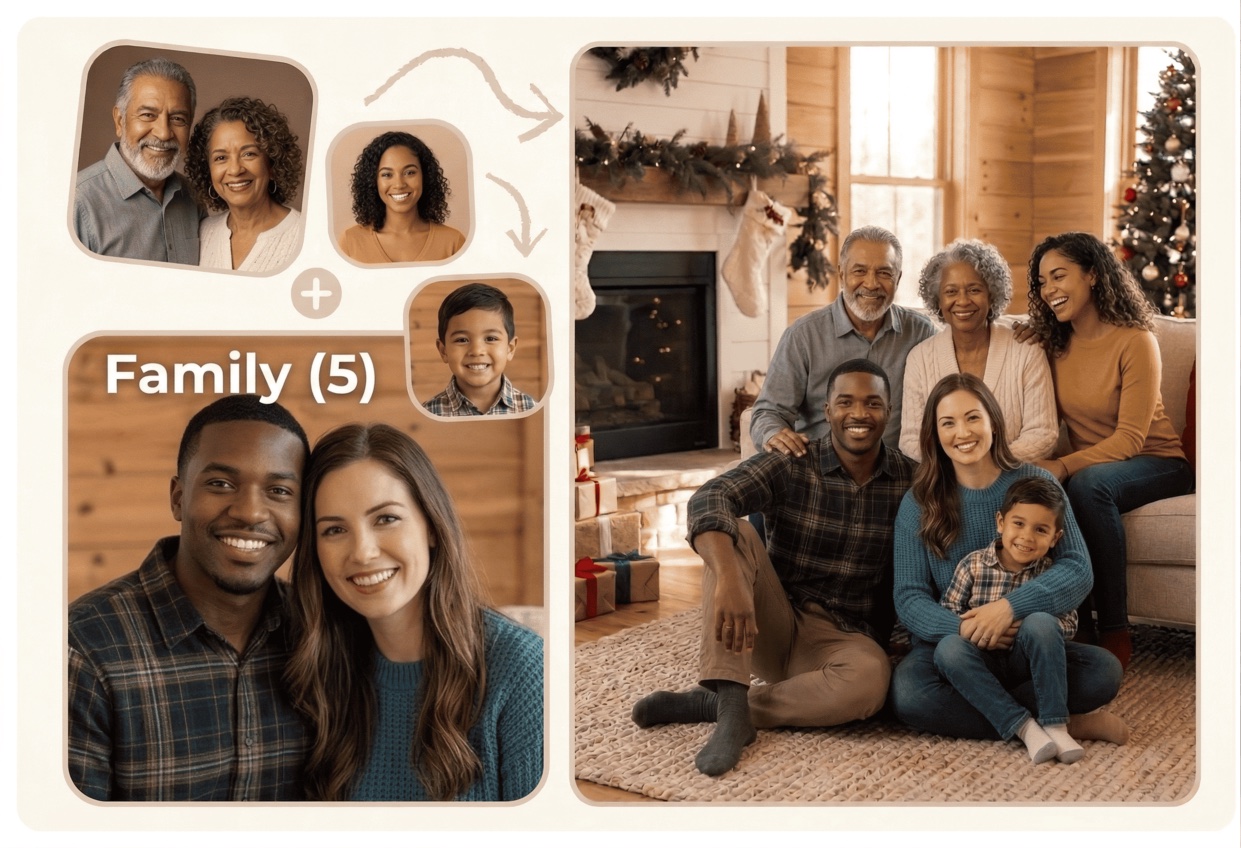
Creating a complete family portrait from individual photos is simple and designed for everyday users. Our AI handles the heavy lifting, eliminating the need for complex software or manual editing skills.
Step 1
Choose 2 to 6 separate individual photos of your family members from your device. You can use selfies, cropped images, or pictures taken at different locations.
Step 2
Select one of our preset scenes (like a warm fireplace living room or sunny park) or write your custom description to define the background and clothing style.
Step 3
Our advanced face blending model extracts the subjects, recalculates shadows and lighting directions, adjusts height ratios, and places everyone in the scene naturally.
Step 4
Review your generated family portrait preview instantly. Download the high-resolution JPG or PNG file, perfect for framing, canvas wraps, or digital sharing.
Ready to bring separate photos into one natural family image?
Combine My Photos NowWhile traditional photo collage tools simply paste pictures side-by-side inside grid lines, Kinpict blends them into a single, unified environment that looks like a real, professionally taken photo.
Our tool analyzes the lighting source in each uploaded image and automatically adjusts highlights, shadows, and contrast. This ensures that every family member is lit from the same direction, fitting naturally into their new background.
AI estimates distance, body shapes, and standing positions to automatically scale and position family members. This keeps adults, children, and grandparents proportionally balanced to prevent awkward height representations.
Instead of sharp borders and cutouts, our model matches the edges of the subjects, blending clothing textures and hair into the chosen background. The final result feels integrated and cohesive.
Families use our AI generator to solve real-world photo problems. Here are the most common ways our users combine their images:
Gently blend older photos of deceased grandparents or relatives with current family pictures to create a beautiful, shared memorial portrait.
Bring together family members living in different cities or countries into a single, cohesive frame, even if you can't meet in person.
Combine separate photos of grandparents, parents, and grandchildren taken on different devices or years into one family heirloom.
Gather individual member photos and merge them into a holiday scene with festive backdrops, perfect for printing and sharing.
Visual Proof: Four completely separate source portraits merged into a cohesive, realistic studio-style family photo with matched lighting and proportions.
AI does an incredible job of blending images, but the quality of your input source photos remains the single most important factor. Follow these guidelines for optimal results:
If possible, pick source photos taken under similar conditions (e.g., all indoors with soft light or all outdoors in daylight). This helps the AI blend highlights and skin tones more naturally.
Straight-on or eye-level portraits work best. Avoid extreme high-angle selfies or low-angle shots, as they make it harder to align perspectives in a unified group composition.
Clear faces with distinct features yield much higher realism. Avoid highly compressed social media screenshots, blurry images, or heavy filters that obscure facial structures.
Ensure each person's face and shoulders are fully visible and not blocked by hats, hands, heavy sunglasses, or cropped edges that cut off key portions of their face.
If your initial generation has minor artifacts, try uploading a different source photo with a clearer angle or change your background preset to match your input photos' natural illumination.
Find answers to common questions about combining separate photos, privacy safety, output quality, and credits.
Yes. Our AI Family Photo Generator is specifically designed for this. You upload separate individual photos of your family members, and the AI handles the cropping, resizing, lighting adjustment, and placement to merge them into a single, cohesive portrait.
A traditional collage simply places photos side-by-side in boxes, leaving sharp borders and mismatched backgrounds. Kinpict AI extracts the subjects, balances their scales, matches the ambient lighting, and blends them into a single, uniform background, making it look like a real group photo taken together.
You can upload between 2 to 6 individual photos to combine into a single family portrait. For the best composition and facial detail, we recommend keeping the group size under 6 people.
Yes, this is one of our most common use cases. You can upload an older photo of your passed loved one along with current photos of other family members. The AI will gently merge them into the same lighting and setting to create a beautiful memorial portrait.
Clear, well-lit portraits with visible faces and eye-level camera angles perform best. Heavily filtered, low-resolution, or severely cropped images where faces are partially obstructed are more difficult to merge naturally.
No, our AI is trained to normalize lighting. It will recalculate shadows and highlights on each person so that they match the lighting of the new background you select. However, starting with similar lighting yields the most seamless look.
We take your privacy very seriously. All uploaded source images are processed securely and deleted from our active servers within 24 hours of generation. We never use your personal family photos to train or tune our AI models.
Absolutely. Our tool exports high-resolution JPG/PNG images that are suitable for standard photo printing, canvas wraps, and holiday cards. If you want to print a very large poster, you can use our built-in Image Upscaler to double the resolution.
Not at all. There is no manual cutting, masking, or layering required. You upload the pictures, select your style or prompt, and the AI performs the entire merging process automatically in under a minute.
The AI automatically arranges the composition based on the number of people, height ratios, and camera perspective to ensure a natural group flow. If you are not satisfied with the placement, you can regenerate the photo or adjust your text prompt to specify positions (e.g., 'grandparents sitting on the sofa, parents standing behind').
Try to upload photos taken from a straight-on or slightly angled front perspective. If one photo is a close-up selfie from a high angle and another is a full-body photo taken from below, the AI may struggle to blend them realistically.
Yes! You can upload individual photos of your family members and separate photos of your dogs or cats. The AI will blend your pets naturally into the group composition.
We offer free preview generations so you can test the quality. High-resolution downloads and advanced generation options require credits, which can be purchased through our pricing plans.
Since AI reconstructs faces to fit new lighting and angles, slight variations can occur. To maintain maximum likeness, avoid uploading highly filtered source photos and ensure the faces in your source images are well-lit.
We want you to love your family portrait. If your generation fails due to system errors, or if the output is highly distorted despite uploading high-quality source photos, please contact our support team to request a credit refund.
Bring your family together in one complete photo, even when your pictures were taken apart.
Use the photos you already have, combine them naturally with advanced AI, and save one family portrait that everyone can share.
Start with Separate PicturesChoose a method to continue.
Enter your email to receive a 6-digit verification code.