Uncompromised Face Likeness Retention
Unlike generic filters, our model preserves the authentic features, expressions, and likeness of your deceased relative.
AI Memorial Portrait Keepsakes
Honor their memory by bringing them back into the family frame. Our specialized AI takes separate portraits of late parents, grandparents, or children, removes the background, and blends them naturally into your family photos with matching light, shadows, and colors.
Separate Inputs
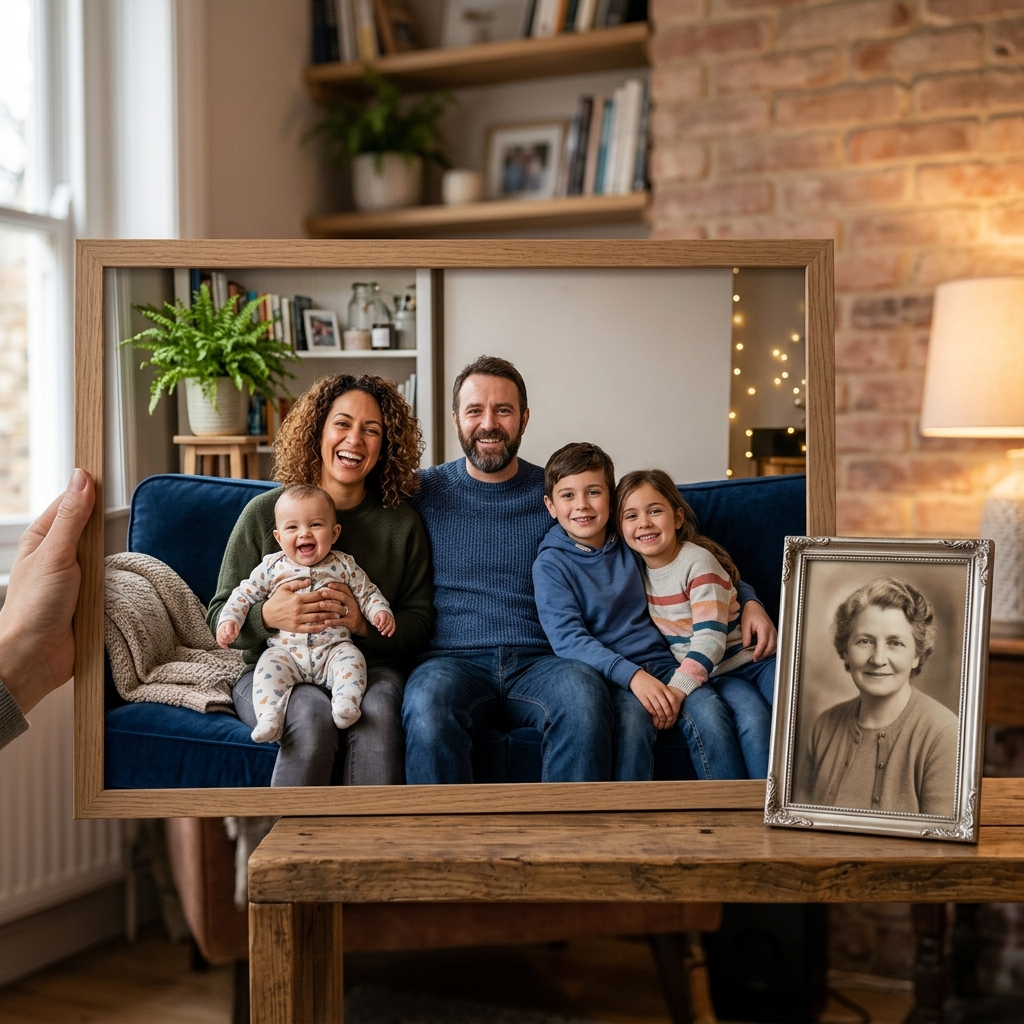
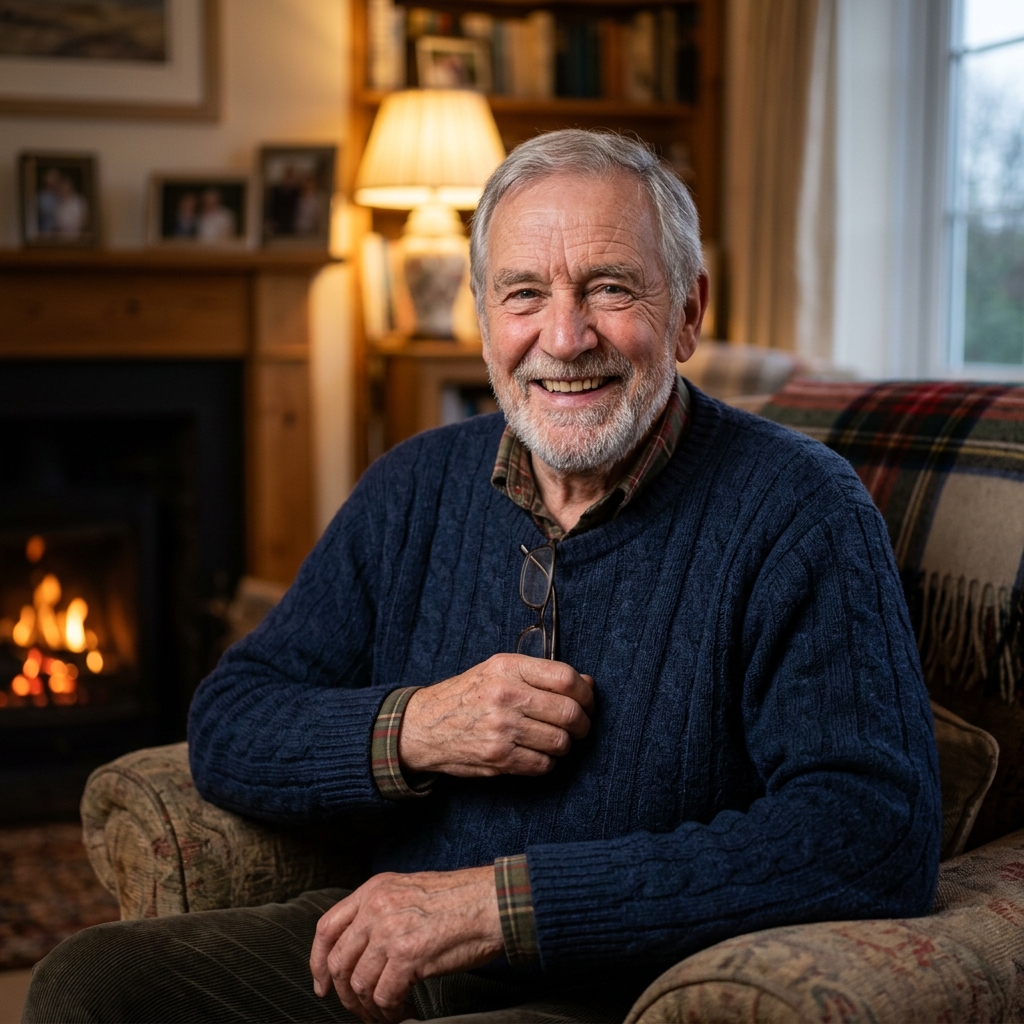
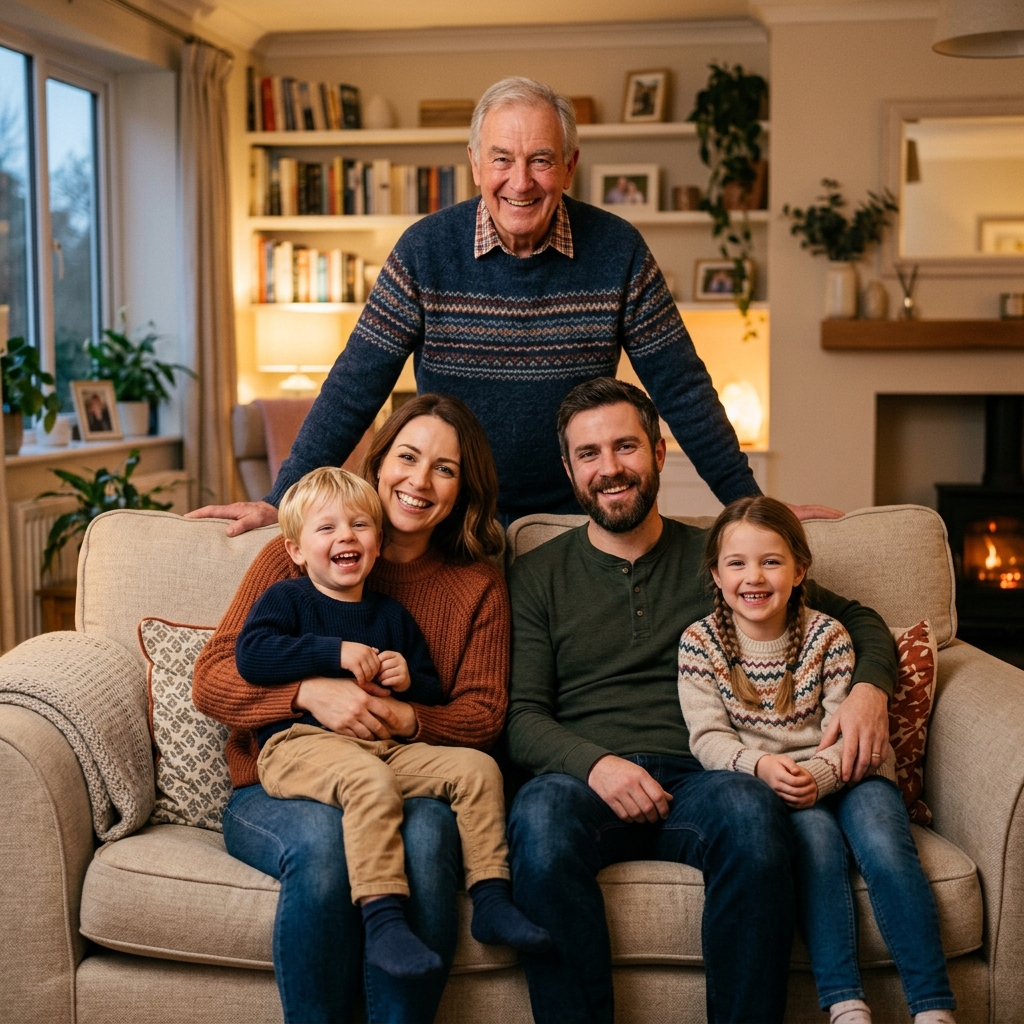
Result Preview
Natural family composition.. Upload photos, then generate one cohesive family photo.
Drag the slider to see how our AI blends a separate portrait into a modern family portrait with perfect light, shadow, and color matching.
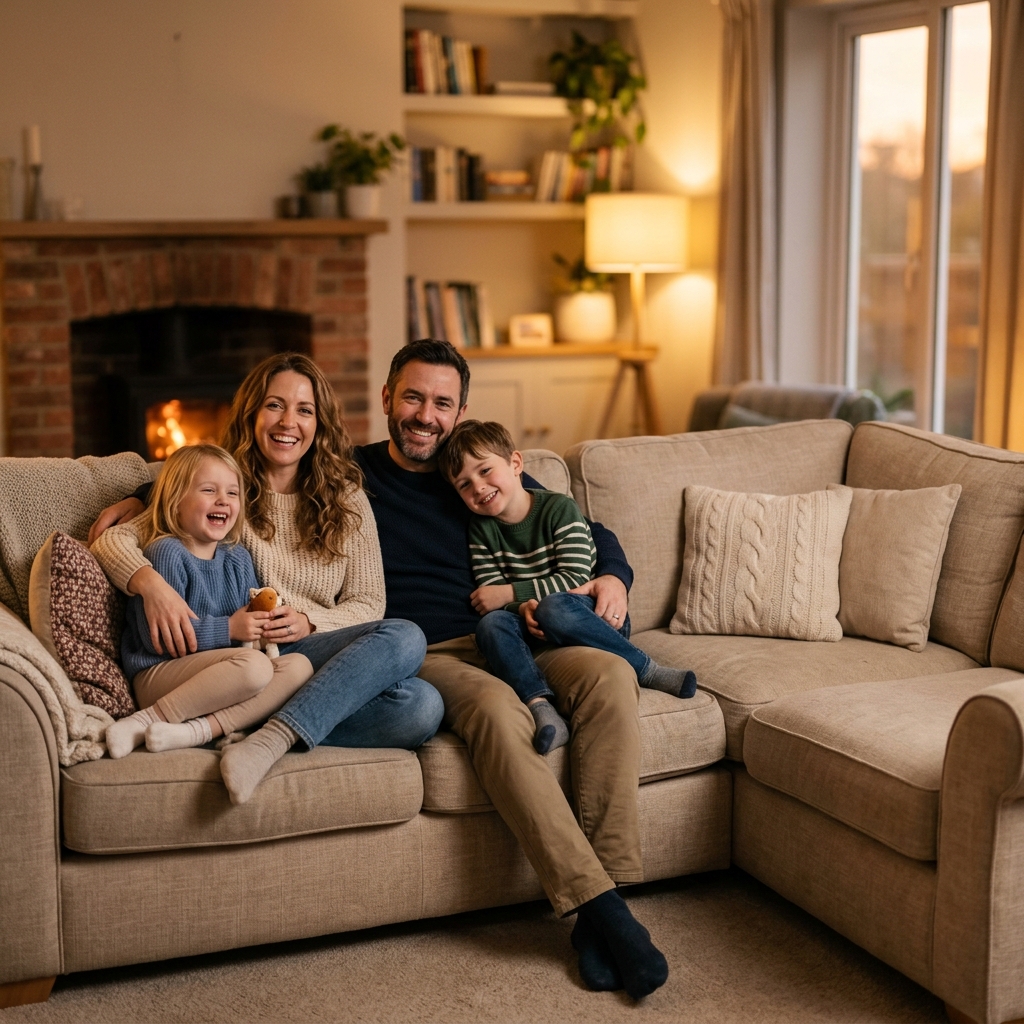
Keep their memory alive in your family's daily spaces. Our AI memorial portrait tool is designed to bring generations together even when time and distance have separated you.
Instead of spending hundreds of dollars on manual graphic design services or struggling with complicated photo editors, Kinpict uses professional deep learning to isolate old scanned polaroids, portrait snapshots, or passport cuts and blend them naturally into modern family layouts. It auto-aligns perspective, matches color spectrums, and outputs high-definition canvas-ready portraits.
Unlike generic filters, our model preserves the authentic features, expressions, and likeness of your deceased relative.
Automatically renders realistic matching shadows and depth layers to make your relative feel physically present in the photo.
Balances grain, texture, and color temperature between modern digital shots and vintage scanned photos for a unified look.
Generates clear, high-DPI outputs suitable for professional canvas prints, family keepsakes, greeting cards, or wood-framed wall art.
Our online tools are designed to keep the memory process simple, respectful, and fast.
Step 1
Select your current family photo, wedding shot, or holiday picture that is missing your departed family member.
Step 2
Upload a clear individual photo or portrait crop of the deceased loved one. No background removal or clipping masks required.
Step 3
Select a memorial preset or specify placement instructions. The AI isolates the figure, matches tones, and finishes blending in 60 seconds.
Selecting the right reference photo of your late relative makes a massive difference in the final blending quality.
Getting a believable result with vintage family photos is much easier when you pick the right perspective. We suggest choosing photos where your late relative is facing straight towards the camera at a similar eye level to the members in the base family shot.
Ensure the face details are as clear as possible. Extreme lighting differences (like a heavy flash reflection directly on the face) can be harder to balance. Photos taken in natural outdoor light or soft indoor lighting usually yield the most seamless blends.
If you are scanning a physical photo with your smartphone, place it flat in indirect, even natural light to avoid glare. Keep your phone parallel to the photo to prevent distortion, and disable the camera flash. The AI will automatically clean up minor grain or scratches.
These typical situations show how AI family portrait completion can deliver comfort and complete your family milestones.
Place late parents or siblings next to the bride and groom. Incorporate the memory of a late father or mother who couldn't walk down the aisle, placing them naturally beside the couple.
Bring generations together by letting late grandparents hold or sit with the baby. Create a warm portrait of departed grandparents holding or sitting next to newborn grandchildren.
Create a complete family tree portrait, even if members passed away decades ago, by combining older film scans of late ancestors with recent digital portraits.
Pay tribute to fallen servicemen and women by blending their military portrait seamlessly into active family holiday scenes.
We handle your sensitive family memories with the highest level of respect and privacy standards.
All photos are uploaded and processed over encrypted HTTPS channels. Your files are stored in a temporary session and are permanently deleted from our servers once you close the window.
We never use your personal family photos or memorial portraits to train our AI models. Your uploaded faces remain completely private to you.
Our tool is purely designed to create high-quality static family portraits. We do not generate deepfakes or animated motions that distort the authentic likeness of your loved ones.
Find answers to common questions about using AI to add deceased relatives into modern group photos.
Our specialized tool uses advanced segmentation and depth-estimation algorithms. It isolates the subject from the photo of your deceased loved one, removes the background, and dynamically analyzes the target family photo. It then inserts the person into the optimal spot, adjusting skin tones, lighting angles, and color temperatures, and renders matching ambient shadows to ensure they look naturally present rather than copy-pasted.
Yes. You can upload scanned polaroids, crop-outs from old group photos, or even a smartphone photo of a physical printed picture. The AI features built-in face restoration and texture-balancing models that clean up noise, minor scratches, and scan grain to make the vintage photo look compatible with modern digital images.
Yes. If you choose our 'Colorize & Warm Blend' preset or specify in the instructions, the AI colorization model will predict realistic colors for your late relative's face, hair, and clothing, matching the lighting environment of the new family photo.
No. Preserving the precise, authentic likeness of your loved ones is our absolute priority. Unlike general creative AI that hallucinates features, our model uses deep facial structure preservation. It only restores resolution and matches color values; it does not change their eyes, smile, or facial structure.
No. You do not need any Photoshop editing skills. Simply upload the photo as it is. Our AI automatically handles the precise background removal, including complex details like hair strands.
The AI automatically detects empty spaces and natural standing/sitting positions in your base photo. However, you can write specific instructions in the prompt box, such as 'place grandmother standing in the back row next to my brother' or 'place father sitting on the left side of the sofa.'
Yes. By typing instructions in the prompt box (e.g., 'change grandfather's shirt to a formal white button-down' or 'change mother's dress to a navy blue outfit to match the wedding style'), the AI can redraw and adapt their clothing while keeping their original face intact.
Yes. The easiest way is to add one person first, download the result, and then upload that generated image as the new base photo to add the second person. This allows you to build complete, multi-generational portraits step-by-step.
Yes, our final downloads are processed in high-DPI, high-resolution formats suitable for professional printing. You can print the result on large formats like 8x10, 11x14, or larger on canvas, framed wood prints, or cardstock.
The entire background isolation, color correction, shadow rendering, and likeness preservation process takes about 60 to 90 seconds.
Yes. Our AI model recognizes pets (dogs, cats, etc.). You can upload a photo of a late family pet and instruct the AI to blend them (e.g., 'place the golden retriever lying down in front of the kids').
Yes. You can generate unlimited low-resolution previews for free to check the composition and face likeness. High-definition downloads for printing require premium credits.
Place the physical photo in flat, indirect natural light (avoid direct sunlight or overhead lights which cause glare). Hold your phone directly above the photo, keeping it parallel to prevent perspective distortion, and take the picture without using the camera flash.
Our AI will try to adjust the lighting direction automatically. To help it, you can select the 'Seamless Portrait Fusion' preset, or type in the prompt box: 'harmonize lighting to match the soft morning light of the family photo.'
We treat your memories with the utmost respect. All uploads and generations are processed over secure HTTPS protocols. Your photos are stored temporarily only for your active session and are permanently deleted from our servers. We never sell your photos or use them to train public AI models.
Yes. You can adjust the text prompt to refine the placement and regenerate. For example, if the person looks too tall, you can prompt: 'make the added grandfather slightly shorter and move him slightly to the right.'
Safely upload your family shots and a separate photo of your late relative. Generate a natural, high-resolution preview keepsake for free today.
Complete My Family PhotoChoose a method to continue.
Enter your email to receive a 6-digit verification code.